Buying Guide
SimpliSafe Home Security Products on Amazon: A Practical Buying Guide
Build a home security setup in layers: secure the doors first, cover vulnerable windows, add smart monitoring where it matters, and use cameras for evidence instead of treating them as the whole system.
Updated June 2026 · 13-minute read
Start here
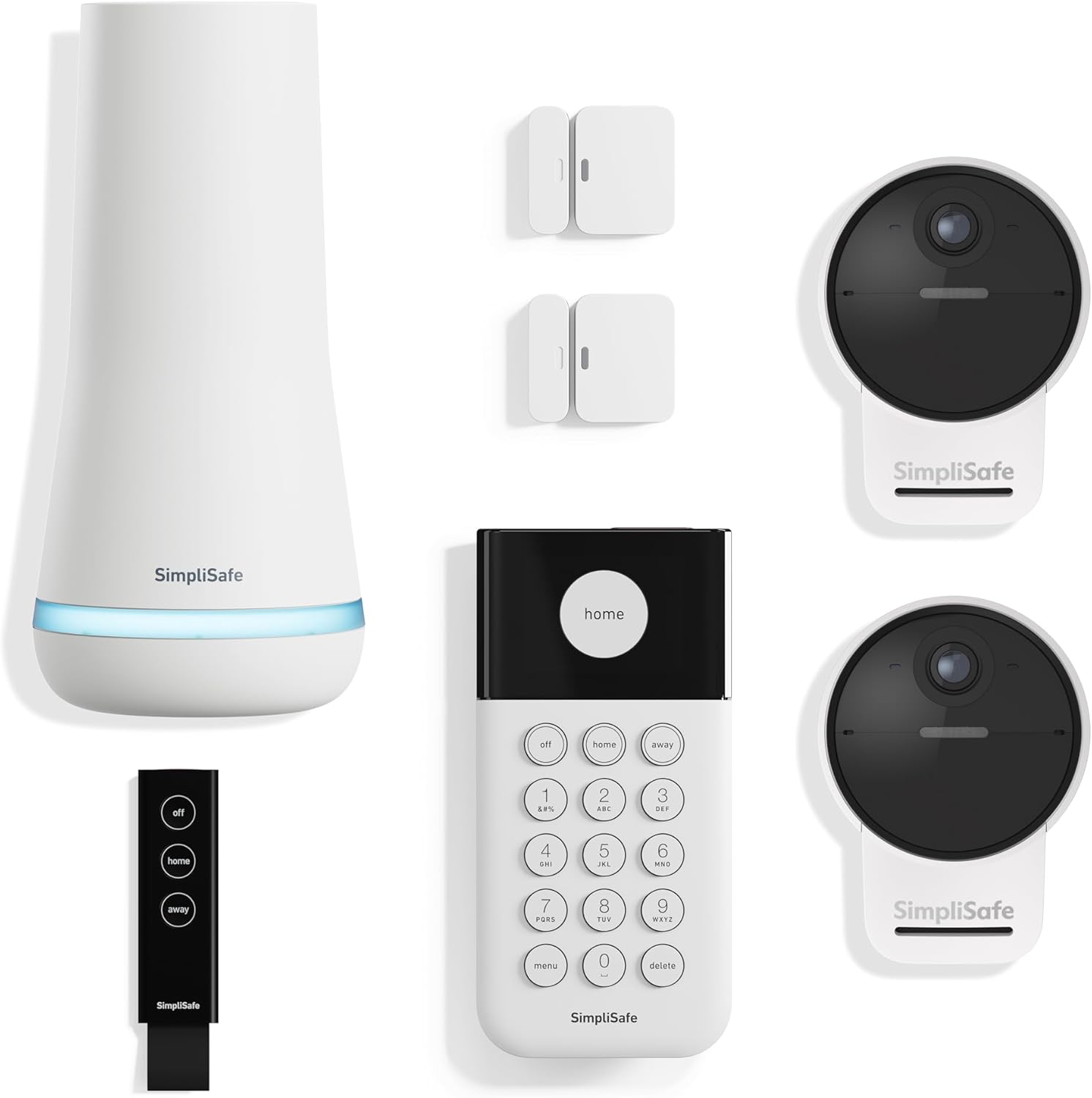
The SimpliSafe 7-piece outdoor camera kit is the best start-here set because it covers the system core, entry points, and exterior camera zones in one box.
Use this as the base layer for most homes: base station, keypad, key fob, two entry sensors, and two outdoor cameras. Then expand with extra entry sensors, glassbreak coverage, motion sensors, and accessories once you know the exact weak points in your home.
Featured SimpliSafe bundle
SimpliSafe 7 Piece Wireless Outdoor Camera Home Security System
This is the start-here SimpliSafe set to feature for most homes: it includes the base station, keypad, key fob, two entry sensors, and two Outdoor Camera Series 2 units so you get both the alarm foundation and exterior visibility from day one.
SimpliSafe is strongest when you treat it as an alarm system first and a smart-home gadget second. Cameras are useful, but the backbone of real home security is still door sensors, window sensors, motion detection, a loud base station, and a plan for what happens when an alert fires. A camera can show you what happened. A good alarm layout can make the event harder to ignore in the moment.
This guide is built around SimpliSafe products available through Amazon and the product review pages we are building on this site. Current live reviews include the SimpliSafe 7 Piece Wireless Outdoor Camera Home Security System, the SimpliSafe 8 Piece Wireless Home Security System, the SimpliSafe Outdoor Security Camera Series 2, the SimpliSafe Entry Sensor for doors and windows, the SimpliSafe Glassbreak Sensor for whole-room window protection, the SimpliSafe KeyFob for easier arming, disarming, and panic access, and the SimpliSafe Wireless Keypad as the fixed physical controller. As we add more individual product reviews, this guide will become the hub that links every SimpliSafe product page together.
SimpliSafe review library
Use this section as the product-review hub. The 7-piece outdoor starter kit, 8-piece bundle, and five core add-on components have live reviews below.
SimpliSafe 7 Piece Wireless Outdoor Camera Home Security System
Best start-here kit for homes that want the alarm foundation, two entry sensors, a key fob, and two outdoor cameras in one box.
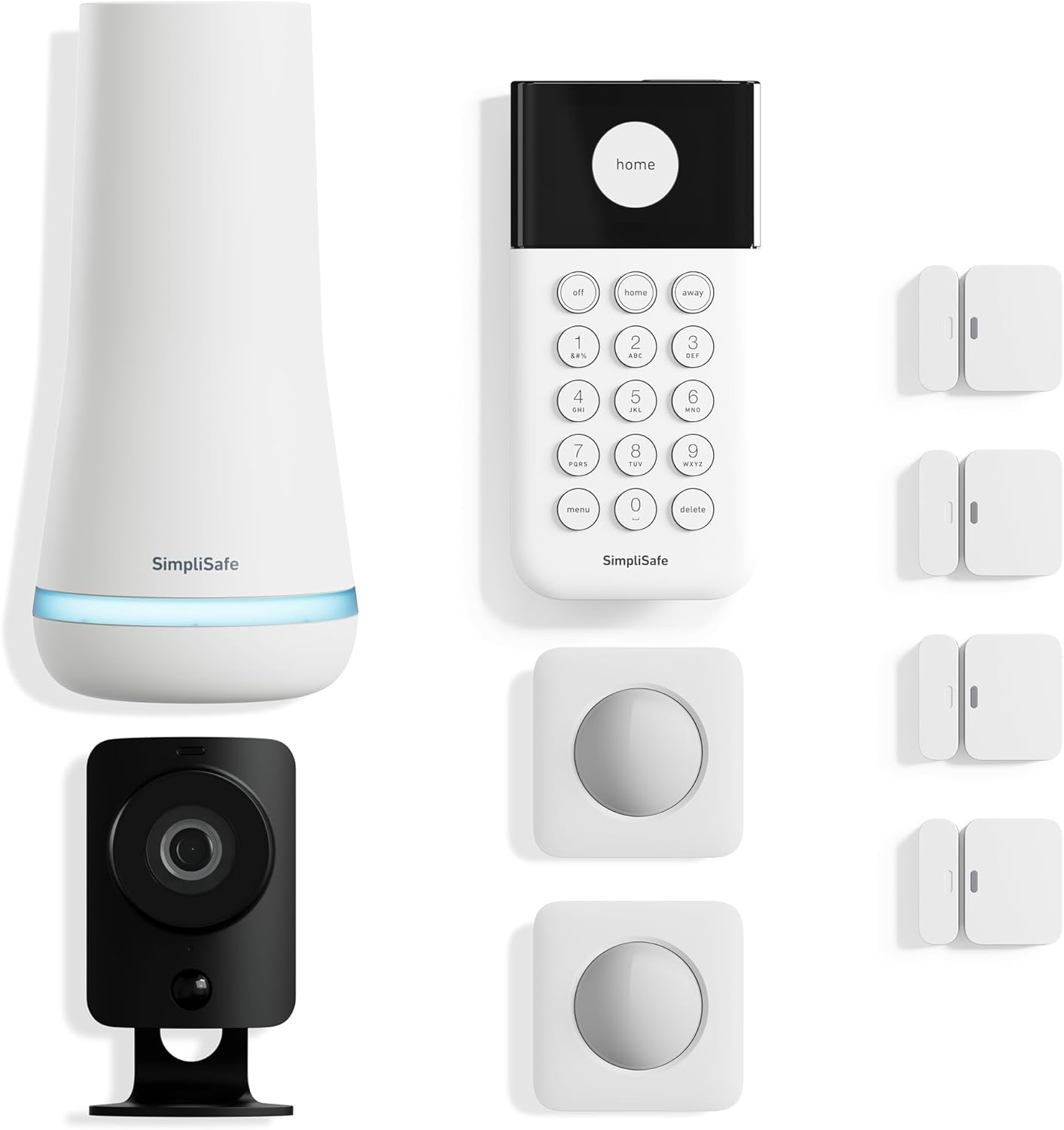
SimpliSafe 8 Piece Wireless Home Security System
Best starting bundle for renters, apartments, and smaller homes that need the core alarm layer first.
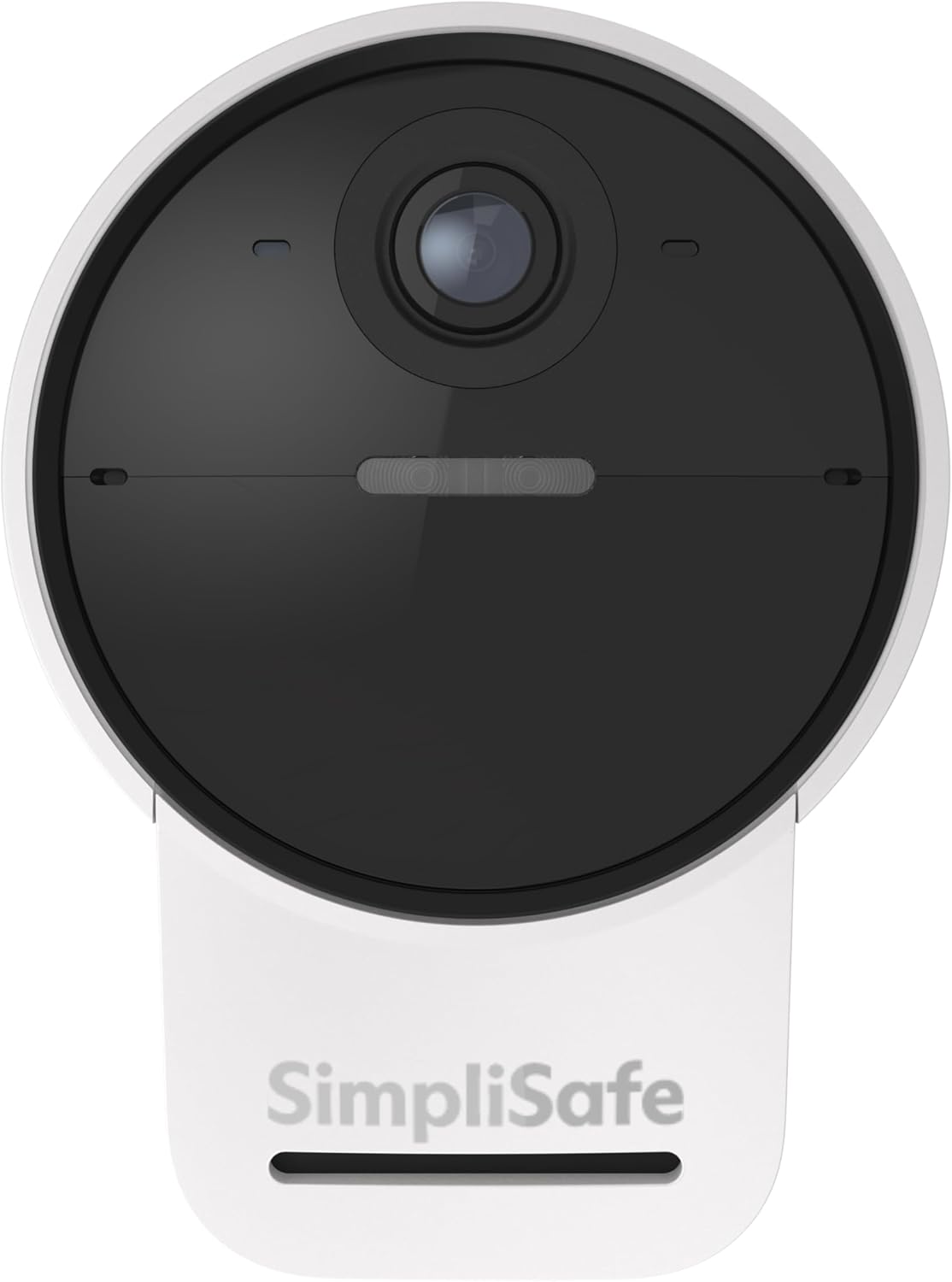
SimpliSafe Outdoor Security Camera Series 2
Outdoor camera for Gen 3 systems with 1080p video, 2-way audio, siren, spotlight, and optional Active Guard response.
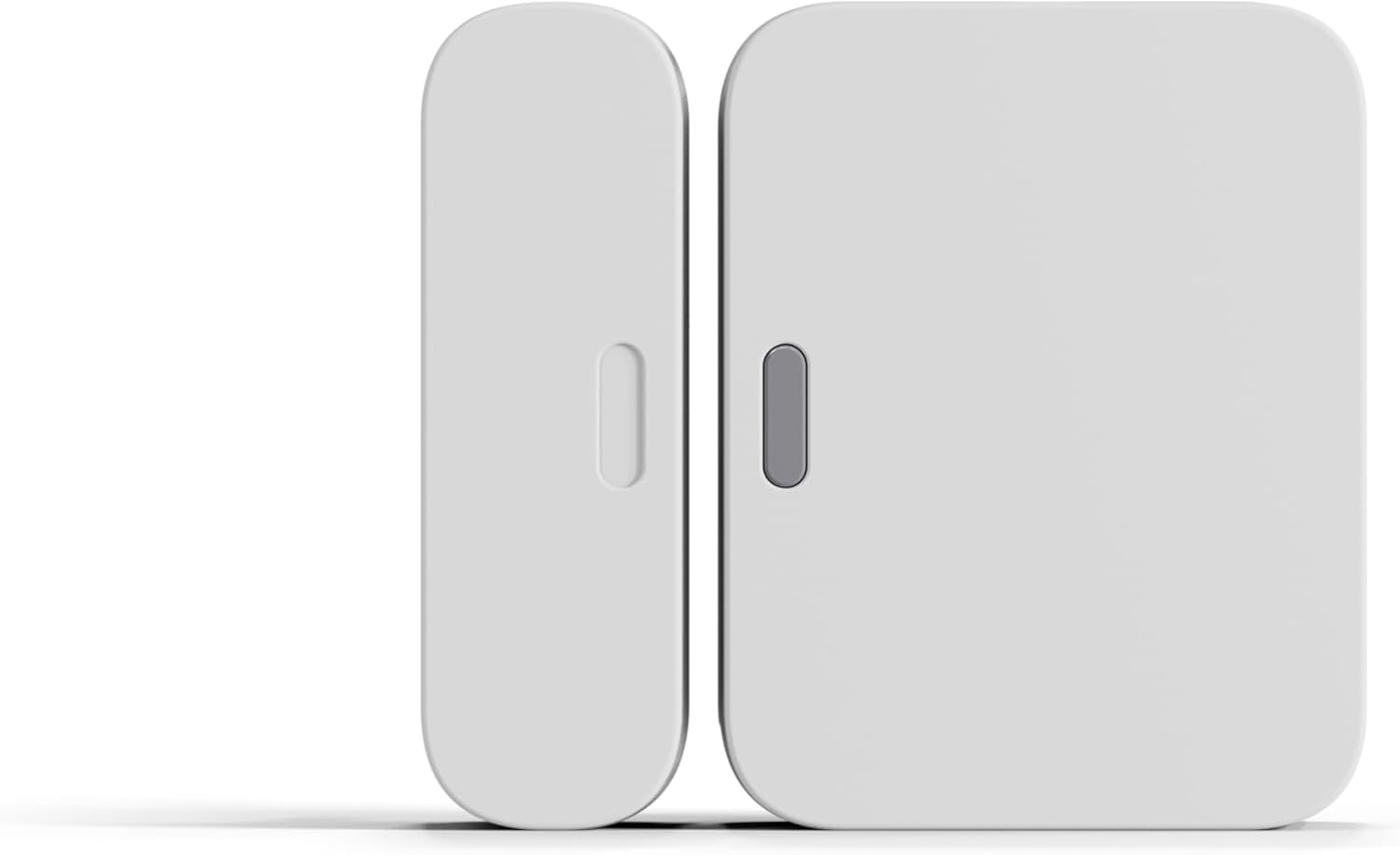
SimpliSafe Entry Sensor (Door & Window)
The building block for entry and egress doors. Most homes need at least one or two beyond a starter kit.

SimpliSafe Glassbreak Sensor
Whole-room window protection that hears breaking glass. Great for glass-heavy rooms and angles cameras miss.
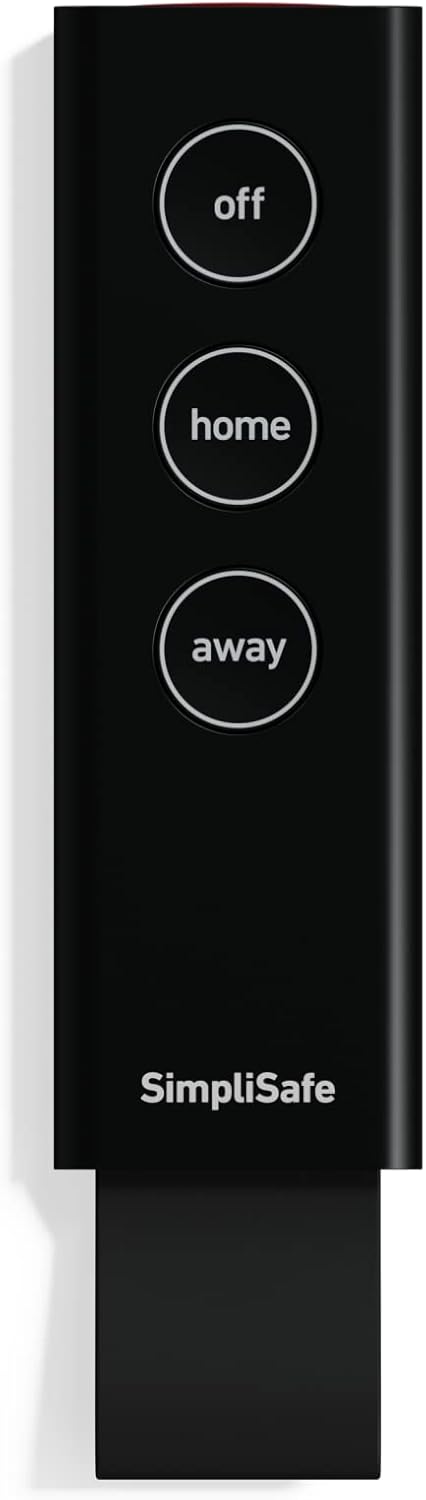
SimpliSafe KeyFob
Keychain control that makes arming and disarming easier, with a built-in panic button for fast help.
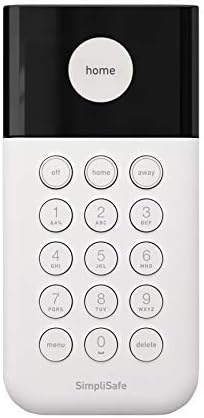
SimpliSafe Wireless Keypad
Physical arm/disarm controller with touch-to-wake status, open-sensor warnings, and flexible wireless placement.
SimpliSafe product roles compared
The right SimpliSafe product depends less on brand hierarchy and more on the job you need done. Think in roles: detect entry, detect movement, identify visitors, deter intruders, and keep the system communicating when Wi-Fi or power is unreliable.
| Product type | Primary job | Best placement | Buy early or later? | Review status |
|---|---|---|---|---|
| Starter bundle | Creates the alarm foundation while adding two outdoor camera zones. | Main living area for base station; keypad near primary entry; cameras at porch, driveway, gate, or garage. | Buy first | 7-piece review |
| Entry sensor | Detects door and window opening before someone is fully inside. | Front door, back door, garage entry, ground-floor windows. | Buy early | Entry Sensor review |
| Glassbreak sensor | Hears breaking glass to catch a smashed window that is never opened normally. | Central spot in rooms with large windows, sliders, or glass doors. | Buy early for glass-heavy rooms | Glassbreak Sensor review |
| Outdoor camera or doorbell | Shows approach, packages, vehicles, and exterior activity. | Front door, driveway, side gate, detached garage. | Buy based on exterior risk | Outdoor Camera Series 2 review |
| Panic button, key fob, or extra keypad | Makes the system easier to use and faster to trigger manually. | Bedroom, office, second entry, bedside table, or trusted user keychain. | Buy later after core coverage | KeyFob and Keypad reviews |
How to build your SimpliSafe system
Layer 1: secure the obvious entry points. Start with every exterior door: front door, back door, garage-to-house door, basement door, and patio door. If your starter kit does not include enough entry sensors, add those before you buy more cameras. Most homes need at least one or two extra entry sensors beyond a starter kit to cover every entry and egress door. A camera pointed at an unsecured door is useful after the fact; an entry sensor is useful the moment the door opens.
Layer 2: cover the easiest windows. Prioritize ground-floor windows, basement windows, windows hidden from the street, and windows reachable from a porch roof or low extension. You do not need to sensor every second-story window on day one. You do need to think like someone trying to avoid being seen. For rooms with lots of glass or large sliders, a single glassbreak sensor can cover the whole room instead of a contact on every pane, and it catches a smashed window that is never opened normally.
Layer 3: add interior motion coverage. Motion sensors are best at chokepoints: a hallway between bedrooms and living areas, a stair landing, or a central room an intruder would need to cross. Avoid pointing them at heat sources, windows with heavy sunlight changes, or areas where pets jump onto furniture.
Layer 4: add cameras where video changes your decision. Video is most valuable at the front door, driveway, garage, and main interior room. It is less valuable when it duplicates a sensor you already trust. Use cameras to identify people, confirm deliveries, document vehicles, and check whether an alert is a real emergency.
Layer 5: add convenience and emergency accessories. Extra keypads, panic buttons, key fobs, sirens, and environmental sensors make sense once your core intrusion coverage is handled. A keypad gives the house a fixed physical controller, while a key fob makes arming the system part of locking the house and lets you disarm before you are rushing to the keypad. These products can be excellent, but they should not distract from the basics: doors, windows, motion, and response.
Home security tactics that matter more than buying more gear
Good placement beats a bigger cart. A poorly placed camera, an ignored sensor, or a base station hidden where it cannot be heard will underperform a smaller system placed thoughtfully.
Make the keypad convenient but not obvious from outside. It should be near the entry you use daily, but not framed perfectly in a glass sidelight. You want fast disarming for trusted users without advertising the system layout.
Put the base station where it can communicate and be heard. Do not bury it behind a metal appliance, inside a cabinet, or next to networking clutter if you can avoid it. A central location often gives better siren audibility and wireless performance.
Use entry sensors for certainty and cameras for context. If a door opens, you know a boundary changed. If a camera sees motion, you still need to know whether it was a person, animal, shadow, vehicle, or branch. Sensors and cameras work best together because they answer different questions.
Do a monthly walk-through. Open the doors you protected, check sensor adhesion, make sure cameras still have the right angle, and confirm batteries or system status in the app. Security systems quietly degrade when furniture moves, Wi-Fi changes, pets grow, or people stop arming the system.
Monitoring, app control, and subscriptions
SimpliSafe is attractive because the hardware is DIY and the monitoring is not built around a legacy long-term contract. That does not mean every feature is free. Remote app control, professional monitoring, smart alerts, camera recording, and cellular fallback details can depend on the current plan.
Before buying, decide what response model you want. If you only want a local alarm and self-checking, your needs are different from someone who travels often and wants professional dispatch. If the home is occupied by kids, older relatives, roommates, or pet sitters, plan for who arms the system, who gets alerts, and who has permission to cancel an alarm.
Buying SimpliSafe products on Amazon
Amazon is convenient for SimpliSafe because you can compare bundles, individual components, reviews, and shipping timelines in one place. The tradeoff is that listings change. Always confirm the product generation, kit contents, seller, return policy, and whether the listing includes the exact sensors or camera model you expect.
Do not compare bundles only by piece count. A 10-piece kit with the wrong mix of accessories may be less useful than an 8-piece kit with the right core pieces. Count how many exterior doors and vulnerable windows you actually need to protect, then compare the bundle against that map.
Common SimpliSafe buying mistakes
Buying cameras before sensors. Cameras are appealing because they feel high-tech, but a complete alarm system starts with boundary detection. Door and window sensors are usually the first money you should spend after a base kit.
Forgetting the garage entry door. Many homes have a secured front door and an ignored door from the garage into the house. Treat that as an exterior-grade entry point for security planning.
Underbuying entry sensors for a larger home. Starter kits are starting points. If you have multiple sliders, basement access, and several ground-floor windows, expect to expand beyond the bundle.
Ignoring pets when placing motion sensors. Motion detection can be excellent, but large pets and jumping pets complicate placement. Keep motion sensors away from furniture pets climb and lean more heavily on entry sensors if false alarms become a concern.
Not planning who responds. The best system is the one people actually arm and know how to respond to. Decide who gets alerts, who can disarm the system, and what you do when a camera or sensor fires at night.
Frequently asked questions
Is a SimpliSafe bundle better than buying individual parts?
A bundle is usually the cleanest starting point because it includes the core alarm pieces: base station, keypad, entry sensors, and at least one motion or panic device. Individual parts are best for expanding coverage after you map your doors, windows, and camera zones.
What should I buy first for a SimpliSafe system?
Start with a base kit that covers the main entry doors, then add entry sensors for vulnerable windows, motion sensors for interior choke points, and cameras only where video actually helps: front door, driveway, garage, or main indoor common area.
Do SimpliSafe products need a monthly plan?
The hardware can be installed yourself, but remote app control, professional monitoring, advanced alerts, and some camera features depend on the current SimpliSafe plan. Check the latest plan details before buying.
Can renters use SimpliSafe products?
Yes. SimpliSafe is especially renter-friendly because most sensors are wireless and can be installed without hardwiring. Use removable mounting methods carefully and avoid drilling unless your lease allows it.
How many entry sensors do I need?
Count exterior doors first, then vulnerable windows. A small apartment may only need a few. A single-family home can need many more once you include back doors, garage entries, basement windows, and sliders.
Affiliate note: BestPrimeDayDeals.com is a participant in the Amazon Services LLC Associates Program. We may earn a commission when you buy through links on this page, at no extra cost to you. Read our full disclosure.