Review
SimpliSafe KeyFob Review
Updated 2026 06 10 · 8 min read
SimpliSafe
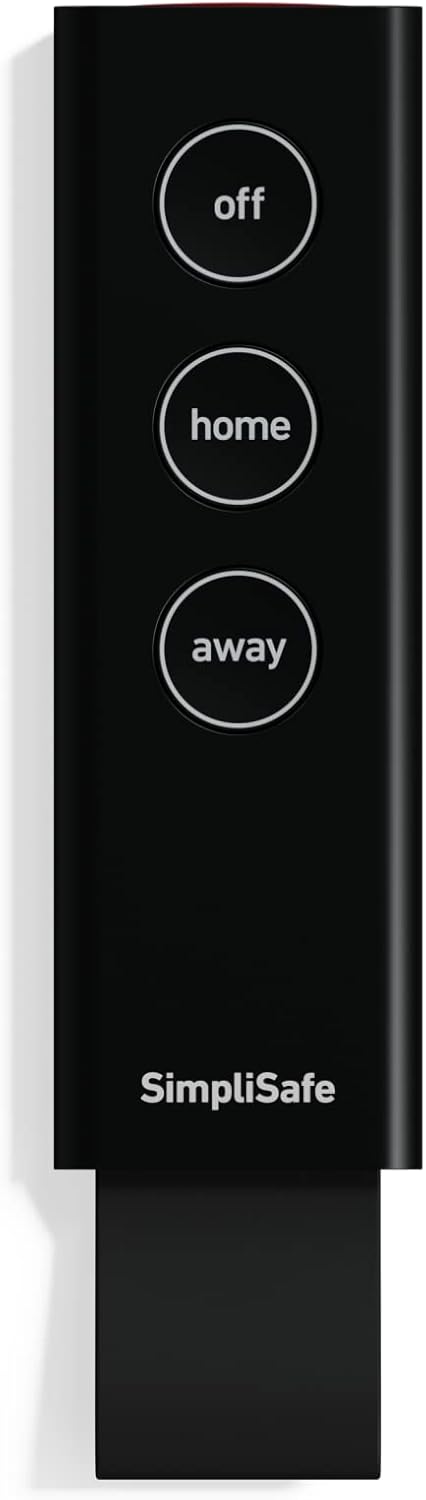
SimpliSafe KeyFob - Arm and Disarm Remotely - Built-in Panic Button
Editorial score: 9.0 / 10
View Latest Price on AmazonBottom line
The easiest way to make your SimpliSafe system something you actually arm every day.
The KeyFob removes friction. It lets you arm as you lock up, disarm before you rush to the keypad, and keep panic access close at hand. It is not core detection hardware like an entry sensor, but it can make the whole system more likely to be used correctly.
What we love
- Makes arming and disarming simple for family members, kids, guests, seniors, and anyone who does not want to use the app or keypad
- Built-in panic button adds fast emergency access from a keychain, bedside spot, entry table, garage, or yard
- Setup is quick through the SimpliSafe keypad, with included battery, mounting plate, and screws for keychain or fixed use
What we don't
- Compatible with the latest-gen SimpliSafe system only, not older SimpliSafe hardware or other brands
- Buttons can be pressed accidentally in a pocket or bag, so some users prefer mounting it instead of carrying it loose
Specifications
| Type | Battery-powered keyfob remote for SimpliSafe latest-gen systems |
|---|---|
| Controls | One-press arm and disarm control for the security system |
| Emergency feature | Built-in panic button for fast emergency monitoring alerts |
| Setup | Add device through the SimpliSafe keypad; pre-installed battery included |
| Mounting | Use on a keychain or mount with included plate and screws |
| System capacity | SimpliSafe supports up to 100 sensors and devices per base station |
| Price tier | $ — see Amazon for current pricing |
A home security system only works if people actually arm it. The SimpliSafe KeyFob is one of those small accessories that can change daily behavior because it puts control where your habit already is: on your keys. Lock the house, hit away mode, leave. Pull into the driveway, disarm before you open the door, no rush to beat the countdown.
Why a KeyFob helps
The keypad and app are fine, but they add friction. The keypad requires you to walk to the right spot. The app requires your phone, unlock, app load, and tap. The KeyFob is physical, immediate, and tied to the same thing you already grab when leaving the house. That makes it more likely that you set the alarm consistently.
This matters more than it sounds. Many people install a security system and then slowly stop arming it for short errands, dog walks, school pickup, or quick runs to the store. A keychain remote reduces that friction enough that arming becomes part of locking up, not a separate chore.
Daily arming and disarming
The biggest everyday win is disarming when you come home. Instead of opening the door and racing to the keypad before the alarm triggers, you can disarm from your keys as you approach the door or pull in. That is especially helpful when your hands are full, kids are coming in behind you, or you enter through a garage or side door that is not next to the keypad.
It also helps less tech-forward users. Kids, guests, older relatives, dog walkers, and house sitters may not want app access or may forget keypad codes. A KeyFob gives them a simple, physical control with obvious buttons. For many households, one fob per regular user is the cleanest way to make the system usable without sharing codes too broadly.
Panic button value
The built-in panic button is the feature you hope you never need, but it adds real value. A wall-mounted panic button only helps if you are near that wall. A keyfob panic button can be carried around the home, kept by the bed, mounted in a garage, or kept near an entry table. For seniors, people living alone, or anyone with a larger property, that portable emergency access can be reassuring.
As with any panic feature, make sure everyone understands what it does and where the fob is kept. The goal is fast help in a real emergency, not accidental presses from a backpack or junk drawer.
Setup and placement
Setup is straightforward: add the device through the SimpliSafe keypad and assign it to the system. The battery is included, and the package includes a mounting plate and screws if you want to use it as a fixed remote instead of carrying it on a keychain.
That mounting option is worth considering. If accidental button presses worry you, mount a KeyFob near a garage entry, bedroom, office, or mudroom rather than carrying it loose in a bag. If the goal is daily arming and disarming, keep it on the keys you use when leaving the house. If the goal is panic access, place it where a person is likely to need help.
What owners are saying
Customers frequently praise how simple the KeyFob is to set up and use, with many calling it a must-have accessory for making arming and disarming easier for the whole family. The strongest positive theme is convenience: people like not needing to open the app or reach the keypad every time they leave or return.
Many reviewers also highlight the peace of mind from having a dedicated panic button in reach, especially for elderly relatives or people living alone. Critical comments tend to focus on accidental button presses and occasional pairing or battery issues, but overall ratings are high and many buyers purchase multiple fobs for different family members.
Editor notes
In daily use this KeyFob makes the system feel much more convenient. Arming on the way out the door or disarming when pulling into the driveway becomes second nature. Knowing that the panic button is always on hand is reassuring, and although I would be careful to avoid pocket presses, the trade-off is worth it for the extra control and safety it provides.
Who it's for
This is a smart add-on for SimpliSafe Gen 3 households that want quick, keychain-style control of the alarm plus an easily accessible panic button. It is especially useful for families, kids, seniors, house sitters, dog walkers, and anyone who prefers physical controls over apps. Skip it if you only want app control or if you are worried about accidental presses and do not have a good mounted location for it.
Best for
- SimpliSafe Gen 3 households that want faster arming and disarming
- Kids, seniors, guests, dog walkers, or less app-focused users
- Anyone who wants a portable or mounted panic button
Skip if
- You do not have a compatible latest-gen SimpliSafe system
- You prefer app-only control and do not want another physical remote
- You are likely to trigger buttons accidentally in a pocket or bag
Alternatives to consider
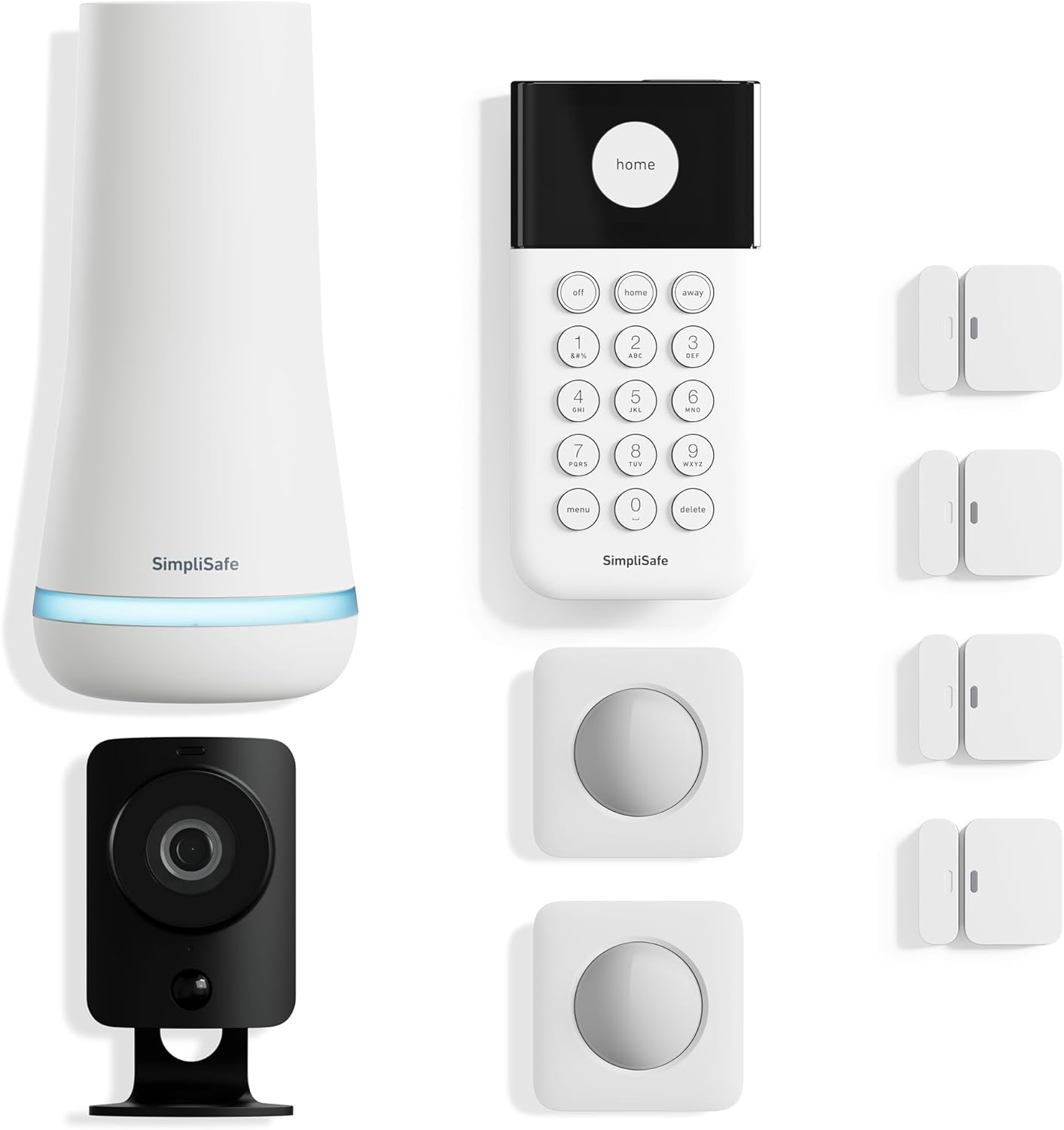
SimpliSafe 8 Piece Wireless Security System
Start here if you need the base system before adding convenience controls.
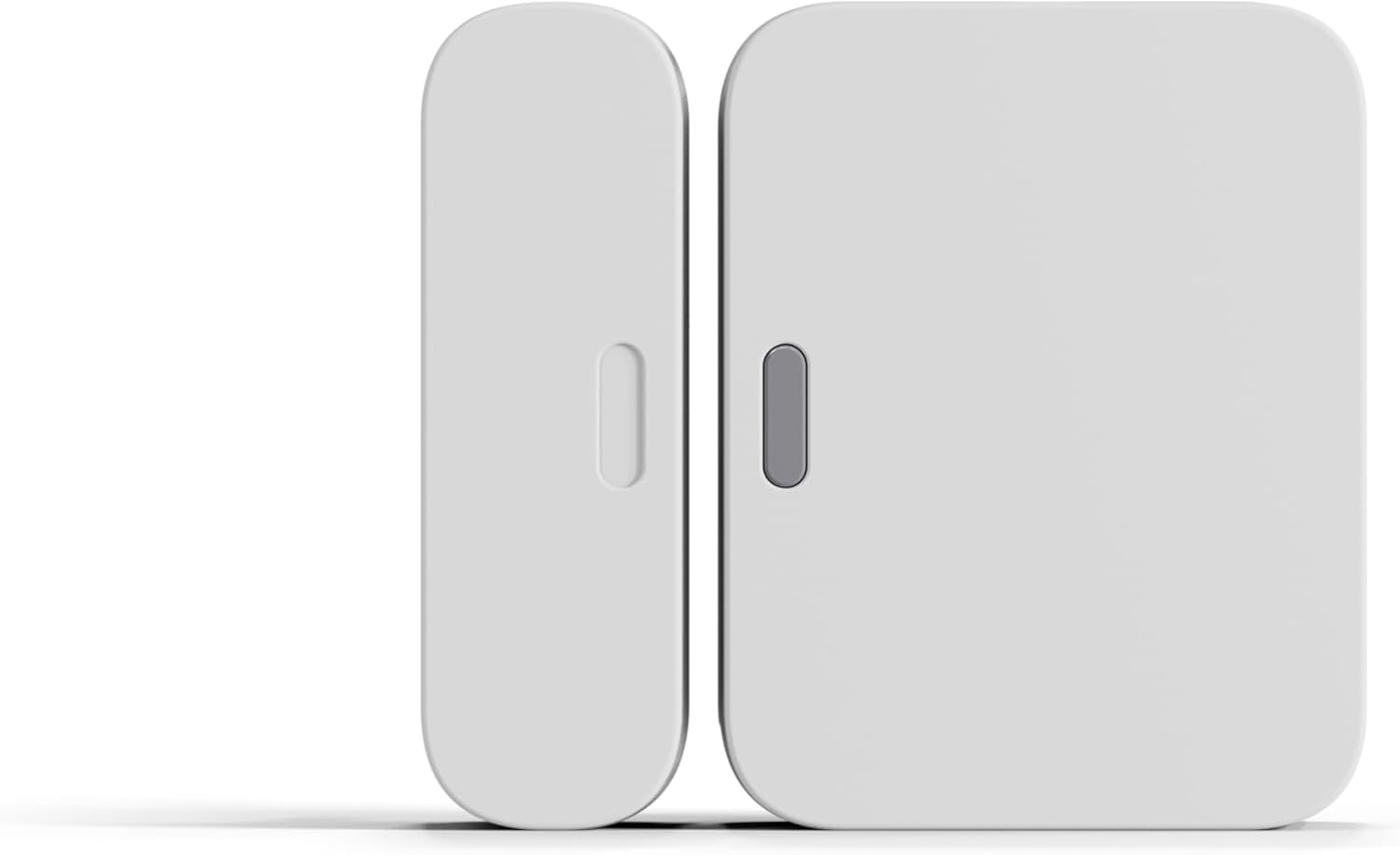
SimpliSafe Entry Sensor (Door & Window)
Buy sensors first if your doors and windows are not fully covered yet.
Frequently asked questions
Why add a KeyFob if I already have the app and keypad?
The KeyFob is faster and more habitual. Because it lives on your keys, it reminds you to arm the system as you leave and lets you disarm before you reach the keypad when coming home.
Does the SimpliSafe KeyFob have a panic button?
Yes. It includes a built-in panic button that can alert emergency monitoring for fast help when your system and monitoring setup support that response.
Can kids or guests use it?
Yes. The KeyFob is useful for kids, guests, seniors, and anyone who prefers physical buttons over the app or keypad. Many households buy more than one for different family members.
What is the main drawback?
The main drawback is accidental button presses in a pocket or bag. Some users keep it mounted near an entry or on a separate key ring if pocket presses become an issue.
Affiliate note: BestPrimeDayDeals.com is a participant in the Amazon Services LLC Associates Program. We may earn a commission when you buy through links on this page, at no extra cost to you. Read our full disclosure.